 ultimate-guide
Is a Commercial Access Control System Installation Worth It?
Last Updated: November 5, 2026
Quick Summary
A commercial access control system installation is worth it for most businesses that need to restrict entry, track who goes where, and revoke access without rekeying. Its value depends on a careful site survey, correct fail-mode and egress design, and reliable maintenance after handover.
- Credentials can be issued, changed, or revoked from one screen instead of rekeying every door.
- Installation follows seven steps, from site survey through training and handover.
- Pricing is quoted per door, so request a door-by-door breakdown before signing.
- Every egress door needs a mechanical release, and electrified locks must release on fire alarm activation.
- Change default passwords and segment controller traffic on its own VLAN before go-live.
Table of Contents
- What a Commercial Access Control System Is and What It Does
- Benefits of Access Control for Businesses and Buildings
- Types of Access Control Systems and Credentials
- Access Control System Installation Process: From Site Survey to Commissioning
- Commercial Access Control System Cost: Cost Drivers and Budgeting
- Access Control System Installation Diagram: Reading a Door-by-Door Design
- Compliance, Life Safety, Cybersecurity, and Integration Considerations
- Access Control Installation Checklist and Choosing Your Installer
- Frequently Asked Questions
What a Commercial Access Control System Is and What It Does
A commercial access control system is hardware and software that decides who can enter a building, room, or gate, and when, and a proper commercial access control system installation makes sure every part works together. It combines entry points, credential readers, electronic locks, a control panel, and management software that stores permissions and records each entry event. A commercial access control system installation means selecting, mounting, wiring, and programming those components to work together reliably.
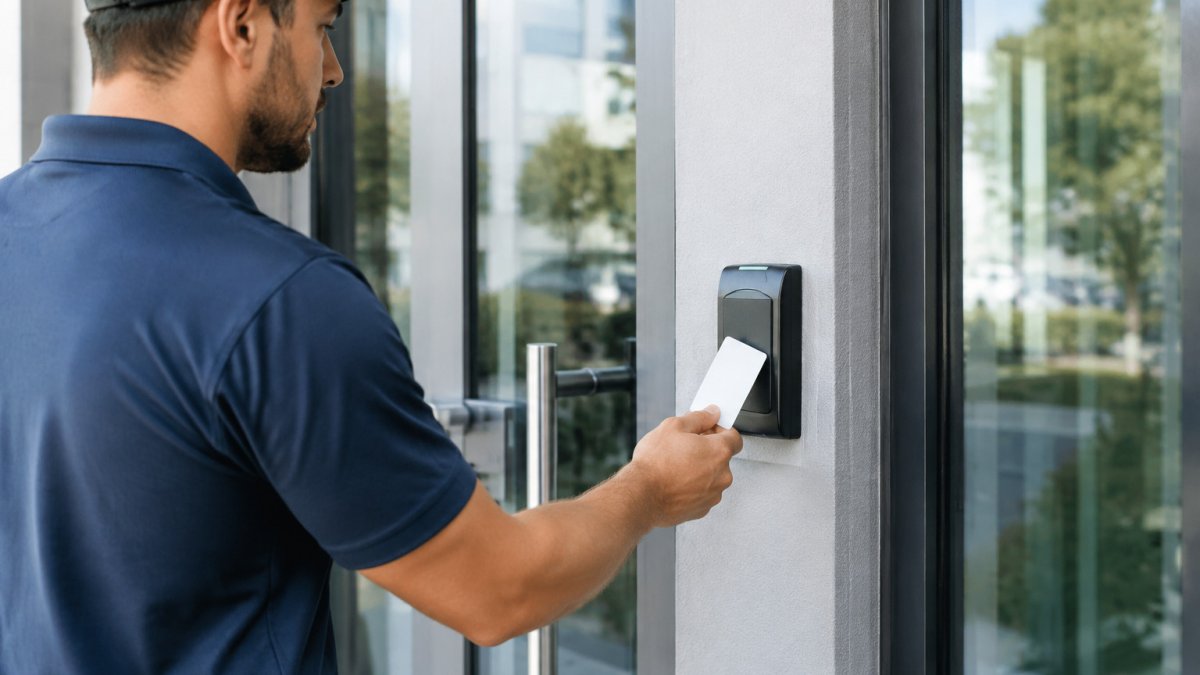
For most businesses, it replaces mechanical keys with credentials that can be issued, changed, or revoked from one screen. When an employee leaves, you disable their card rather than rekeying every door.
Pro Access Industries installs and services these systems for commercial, industrial, and residential properties across the Houston area.
Benefits of Access Control for Businesses and Buildings
The main benefit is control over who enters. A properly configured system restricts server rooms, storage areas, and executive offices to authorized staff, and it records the time and door used for every entry. Those logs matter when an incident occurs and you need to establish who was in a given area.
Operational benefits add up. Property managers can grant a contractor access for a specific window without handing over a key, unlock a lobby door remotely, and schedule doors to lock automatically after closing.
Remote access is another practical advantage. Some modern controllers and cloud platforms let authorized managers check door status, review events, and adjust permissions remotely. This matters most for multi-site operators who cannot be at every location.
The limits are worth stating plainly. An access control system does not replace surveillance cameras, alarms, or good procedures, and a poorly maintained reader or weak network connection can leave gaps. The system is only as dependable as its installation and upkeep.
Types of Access Control Systems and Credentials
Systems fall into three architectures. Standalone systems run on a single controller at each door and suit a small office with a few entry points. Networked systems connect all doors to a central server, making permission changes instant building-wide. Cloud-based systems host software off-site and are easiest to manage remotely, though they depend on reliable internet at the premises.
The credential is the item a person presents to gain entry. Common options include:
- Proximity cards and fobs: Simple, inexpensive, and widely supported. They can be cloned if the format is old, so newer encrypted formats are preferable for sensitive areas.
- Smart cards: Store more data and support encryption, which makes them harder to copy.
- Mobile credentials: A phone or wearable acts as the key. Administrators can issue and revoke them without handling physical cards.
- Keypads and PIN codes: Useful as a backup or for areas where staff prefer not to carry cards. PINs can be shared, so they work best combined with another credential.
- Biometric readers: Fingerprint or facial recognition for high-security rooms. These require careful privacy handling and enrollment procedures.
Most commercial buildings use a combination, such as cards at the main entrance and a keypad or biometric reader at a server room. The right mix depends on each door's risk and traffic.
Access Control System Installation Process: From Site Survey to Commissioning
A reliable installation follows a sequence. Skipping steps is the most common reason systems fail after handover.
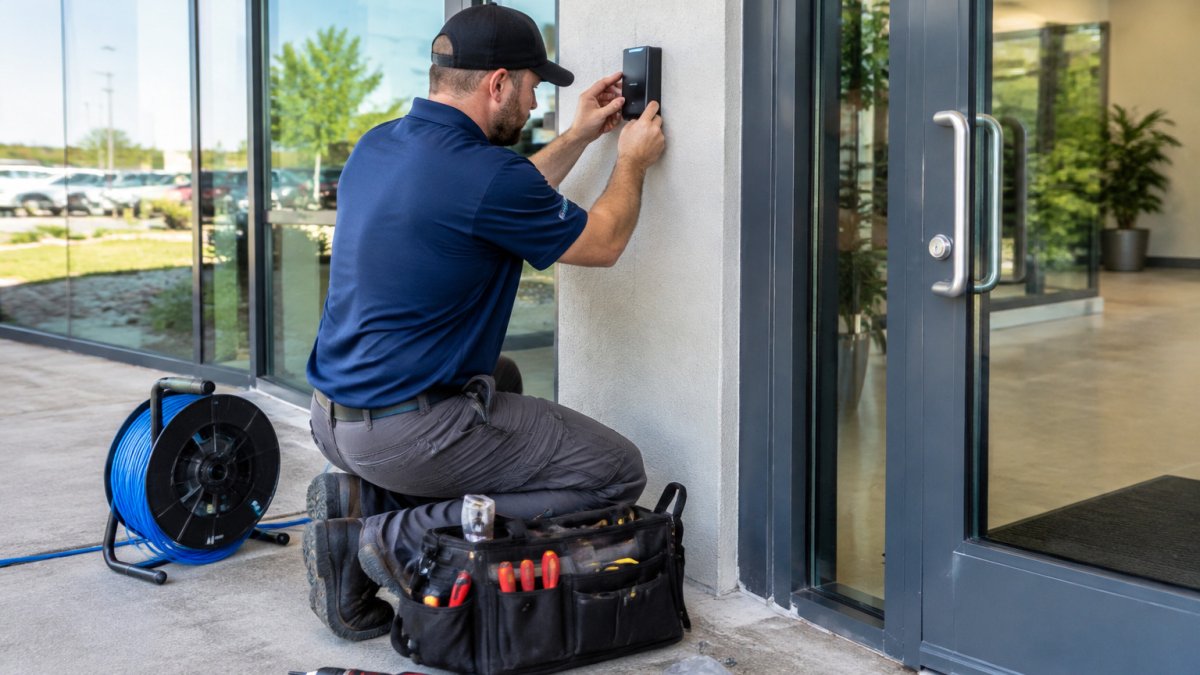
- Site survey. An installer walks the property, records every entry point, notes door types and frame materials, and identifies power and network locations.
- Security assessment. Management defines which areas need restricted access, who needs access to each, and which hours apply.
- System design. The installer selects controllers, readers, and locks for each door and produces a plan showing wiring routes and equipment locations.
- Installation. Technicians mount readers, install electric strikes or magnetic locks, run cabling, and set up the control panel and power supplies.
- Software configuration. Doors, schedules, user groups, and credentials are entered into the management software.
- Testing and commissioning. Each door is tested for correct credential reads, lock behavior, fail-safe or fail-secure operation, and alarm or egress functions.
- Training and handover. The client's administrators learn how to add users, revoke credentials, and read event logs.
Planning the Site and Assessing Security Needs
Start by listing every door and classifying it by risk. A lobby needs different controls than a loading dock or pharmacy storage room. Ask who needs access, when, and what happens if a door fails open or closed. Fire and life-safety codes often require certain doors to unlock on fire alarm activation, so the design must account for that before hardware is ordered.
Document existing door hardware too. Older frames may not accept modern strikes without modification, and some doors need a closer or panic bar adjusted to work with the system.
Hardware, Wiring, and Network Requirements
Each door typically needs a reader, a lock or strike, a request-to-exit device, and a door position sensor, all wired back to a controller. Power supplies must be sized to run the locks and controllers with some spare capacity, and battery backup keeps doors functioning during short outages.
For networked and cloud systems, plan the network before installation. Controllers need a stable connection, and many installers recommend a dedicated segment or VLAN so access traffic is isolated from general office traffic. Confirm that the network can reach the management platform and that firewall rules permit the required ports.
The installation follows a sequence of seven steps, and skipping any of them is the most common reason systems fail after handover.
| Step | What to do | Time or frequency |
|---|---|---|
| Site survey | Record every entry point, door type, and power and network location | Before design |
| Security assessment | Define restricted areas, who needs access, and which hours apply | Before design |
| System design | Select controllers, readers, and locks; produce a wiring plan | Before hardware is ordered |
| Installation | Mount readers, install strikes or maglocks, run cabling, set up panel | On site |
| Software configuration | Enter doors, schedules, user groups, and credentials | Before testing |
| Testing and commissioning | Test reads, lock behavior, fail mode, and alarm or egress functions | Each door |
| Training and handover | Teach admins to add users, revoke credentials, and read logs | At handover |
Commercial Access Control System Cost: Cost Drivers and Budgeting
Access control pricing is quoted per door, not per building, because almost every cost line scales with the number of openings and the condition of the doors. A realistic budget separates one-time installation from recurring costs, and hardware from labor.
Hardware costs. Each door needs a reader, a lock or strike, a request-to-exit device, a door position sensor, and a share of a controller and power supply.
Labor and wiring. Labor is usually the largest line on a retrofit. Running cable through finished walls, above hard ceilings, or through masonry takes far longer than pulling cable in an open ceiling during construction. Conduit, core drilling, firestopping, and patching are often billed separately.
Door count and door type. Heavy steel doors, glass storefront entrances, and historic wood doors each need different hardware and sometimes custom brackets. A pair of doors needs coordination hardware so both leaves release correctly.
Software and architecture. Standalone systems have the lowest software cost because there is no server or subscription. Networked systems require a server, licensing, and IT involvement.
Integration. Connecting access control to video surveillance, visitor management, alarm monitoring, or a building management system adds software licenses, configuration time, and often a middleware component. Each integration should be scoped and priced separately so you can decide whether it earns its place.
Recurring costs. Budget for software subscriptions or support agreements, replacement credentials (cards are lost and fobs break), battery replacement in power supplies and lock hardware, and service calls.
Budgeting approach. Build the budget door by door. For each opening, list the reader, lock, exit device, sensor, controller share, cabling, and labor, then add software, integration, training, and contingency for unforeseen door conditions.
Watch out: a quote that lists only hardware and a single labor line usually hides the door-modification and cabling work, which is where retrofit budgets overrun. Ask for a door-by-door breakdown before signing.
We do not publish a flat price because the door count, door condition, and wiring pathway change the number so much. Request a site-specific quote and we will break it down by door so you can see exactly where the money goes.
Access Control System Installation Diagram: Reading a Door-by-Door Design
A door-by-door design document is the blueprint for the installation. It lists each entry point with its reader type, lock type, controller assignment, wiring route, and fail mode. Reading it correctly helps a property manager confirm the installer has addressed every door.
Look for these elements on the drawing:
- Door schedule: Each door labeled with its location and function.
- Controller map: Which controller runs which doors, and where each panel sits.
- Cabling notes: Cable type, route, and termination points for readers and locks.
- Power layout: Power supply locations and backup battery ratings.
- Fail-safe or fail-secure designation: Whether each lock releases or stays locked when power is lost.
If a door appears without a reader, or a lock is designated fail-secure on an exit route, raise it before installation begins. Those errors are easier to correct on paper than after hardware is mounted.
Compliance, Life Safety, Cybersecurity, and Integration Considerations
Access control sits at the intersection of building codes, fire codes, accessibility rules, and IT security, and the installation must satisfy all of them at once. Getting this wrong is expensive because fixes usually involve re-drilling doors, re-running cable, or replacing hardware after a failed inspection.
Life safety and egress. The governing framework in the United States is NFPA 101, the Life Safety Code, along with locally adopted building and fire codes and the authority having jurisdiction (AHJ) that enforces them.
Fail-safe versus fail-secure. A fail-safe lock releases when power is lost; a fail-secure lock stays locked. Fail-safe is the default on egress routes because a power failure must not trap occupants.
Accessibility. The Americans with Disabilities Act and the applicable ICC A117.1 standard affect reader mounting height, operating force, reach ranges, and clear floor space at accessible entrances. Readers should be mounted within the reach range for a person using a wheelchair, and the approach should be clear of door swing and obstructions.
Cybersecurity and network resilience. A networked controller is a computer on your network and should be treated like one. Change default passwords before go-live, give each administrator a named account rather than a shared login, and remove accounts when staff leave. Keep controller and software firmware current and subscribe to vendor security notices.
Integration. Access control is most useful when it shares data with video surveillance, visitor management, alarm monitoring, and building management. Video integration lets an operator pull up the camera at a door when an event fires. Visitor management issues temporary credentials to guests and expires them automatically.
Migration from a legacy system. Credentials, user records, and door configurations often do not transfer cleanly between vendors, so plan for re-enrollment. A common pattern is to run old and new systems in parallel on separate doors briefly, migrate users in groups, and keep an offline backup of the access list during cutover.
Watch out: a fail-secure lock on an egress door will pass a functional test and fail a fire inspection, and the correction usually means replacing hardware and re-running release wiring. For practical guidance on keeping this hardware working over time, read how to maintain automated gates step by step.
Access Control Installation Checklist and Choosing Your Installer
Before signing a contract, use this checklist to compare installers:
- Licensed, bonded, and insured for commercial work
- Certified technicians who will perform the installation
- A written site survey and door-by-door design before hardware is ordered
- Clear scope covering hardware, programming, testing, training, and warranty
- Documented commissioning test results for every door
- Post-installation service options, including response times
- Experience with your building type, whether office, retail, or industrial
- References from comparable commercial projects
Pro Access Industries is licensed, bonded, and insured, has more than 15 years of experience, and works with certified technicians on commercial, industrial, and residential access control. We also service and repair systems for all brands and makes, with same-day repair services and 24/7 emergency support available. Remote access and monitoring via mobile devices is available. Contact us to discuss your building and request a quote tailored to your door count and security requirements.
Frequently Asked Questions
How is a commercial access control system installed?
A commercial access control system is installed in phases: a site survey to map entry points and power and network paths, system design with a door-by-door schedule, mounting of readers, locks, and controllers, low-voltage wiring, network and software configuration, then testing and commissioning. Installers typically verify fail-safe and fail-secure behavior at each door and confirm that the system integrates with fire alarm release where required. Working with a licensed, insured contractor helps ensure the work meets applicable National Electrical Code and local building requirements.
What is included in a commercial access control system installation?
A typical installation includes a control panel or door controllers, card readers or keypads, electric strikes or magnetic locks, door position sensors, request-to-exit devices, power supplies with battery backup, wiring and conduit, and the management software with user credentials and access schedules. Many projects also include training for administrators and a documented as-built drawing set. Ask your installer whether licenses, programming, and post-installation support are itemized in the quote so you can compare proposals accurately.
How long does it take to install an access control system?
Timelines depend on the number of doors, whether existing wiring can be reused, and how much construction coordination is needed. A small office with a few doors can often be completed in a few days of field work, while a multi-floor building with new conduit may take several weeks including design approval. Planning the site survey and door hardware early shortens the schedule because most delays come from late decisions about lock types and network access.
What should a business prepare before access control installation?
Before installation, gather floor plans, a list of all entry points, existing door hardware specifications, and the building's fire alarm and elevator interface requirements. Confirm network availability at each controller location and identify who will manage user credentials. Decide on credential types, such as key cards, mobile credentials, or keypads, and define access schedules for employees, contractors, and visitors. Clear answers to these questions reduce change orders during the installation process.
What type of access control system is best for a business?
The best choice depends on the number of doors, the level of security needed, and whether you want cloud or on-premises management. Small offices often use cloud-managed systems with mobile credentials, while larger facilities with restricted areas may need controller-based systems with centralized monitoring. Consider how credentials will be issued and revoked, how often staff turn over, and whether the system must integrate with video surveillance or visitor management tools.
Can an access control system work with existing doors and security equipment?
In many cases, yes. Existing doors can often be retrofitted with new readers and locks if the frame, hinges, and door closer are in good condition and meet the required fail-safe or fail-secure function. Integration with existing cameras, alarm panels, or visitor systems depends on protocol compatibility and network design. A site assessment determines whether equipment can be reused or needs replacement, which affects both the schedule and the budget.
How do you maintain a commercial access control system?
Routine maintenance includes testing readers and locks, checking power supplies and battery backup, reviewing event logs, updating firmware, and auditing user credentials to remove former employees or expired contractor access. Many businesses schedule maintenance visits twice per year and keep a service record for each door. Keeping network and software patches current reduces cybersecurity risk, and documented as-built drawings make future troubleshooting faster.